
The choice of a free translation application is no longer just about comparing the fluency of results. Since the implementation of the European AI Act, data traceability and the markup of synthetic content weigh heavily in the evaluation of a tool. We have selected seven free applications by cross-referencing translation quality, language coverage, input modes (text, voice, image), and compliance with European regulatory constraints.
1. DeepL Translator

DeepL remains the benchmark for translating long and nuanced texts. Its neural engine produces results that are significantly more idiomatic than average, particularly for French-English and French-German pairs. The free version imposes a limit of 1,500 characters per request, which directs the tool towards occasional uses or the verification of formulations.
Document uploads (Word, PowerPoint, PDF) are accessible in the free version with a limited monthly quota. We recommend DeepL for any professional who needs to check the accuracy of a phrasing before publication. However, the lack of a voice conversational mode makes it less suitable for field situations.
Choosing a free translation application implies distinguishing text-oriented tools, like DeepL, from those designed for oral or image reading.
2. Google Translate
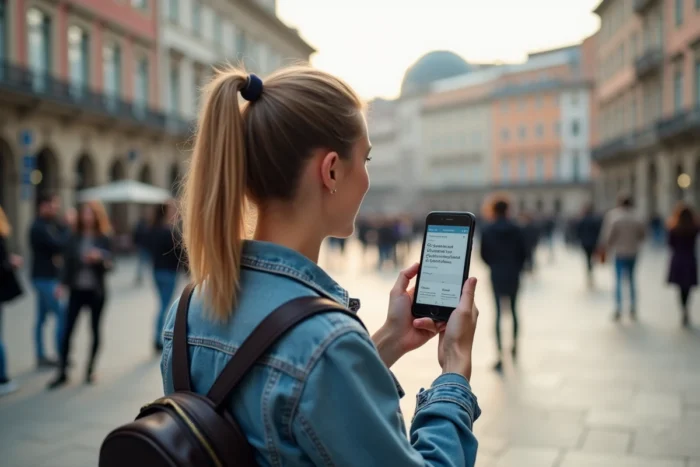
Google Translate covers over a hundred languages, a range that no free competitor matches. The strength of the tool lies in the diversity of its input modes: text, voice, real-time camera, handwritten input. The camera translation works offline for downloaded languages, a decisive advantage when traveling.
The quality for major European languages has improved but still lags behind DeepL for long or technical texts. For short phrases, signs, menus, or basic conversation, Google Translate remains the most versatile tool. Available on iOS, Android, and web versions.
3. Microsoft Translator

Microsoft Translator stands out with its multi-device conversation mode: multiple people join a session via a code, each in their language. This functionality makes it the best choice for informal multilingual meetings or exchanges with a speaker who does not share your language.
The app also offers camera translation and the downloading of offline language packs. Native integration into the Microsoft ecosystem (Outlook, Edge, Teams) adds a layer of convenience for professional users. The raw quality of the engine remains slightly below DeepL for French, but the difference narrows for short texts.
4. Reverso

Reverso is not just a simple translator: it is a tool for contextual translation with usage examples. For each word or expression, the app displays sentences drawn from real corpora (subtitles, official documents, press). This approach helps choose the right translation according to the context.
The integrated thesaurus and conjugation function make it both a learning companion and a translation tool. The free version covers about fifteen languages. The downside: Reverso struggles with long texts and does not offer real-time voice mode.
5. OpenL

OpenL aggregates several translation engines (including GPT and DeepL) and allows users to compare results side by side. This multi-engine approach provides a safety net: if one engine produces a clumsy formulation, another compensates. The free version gives access to a limited number of daily requests.
Comparing multiple engines on the same phrase reduces the risk of meaning errors. We observe that this method is particularly useful for less-resourced languages (Turkish, Vietnamese, Arabic), where quality discrepancies between engines are more pronounced. The interface remains simple, without camera or voice mode.
6. Lingvanex

Lingvanex offers broad coverage (over a hundred announced languages) with text, voice, and image translation features. The app works on iOS, Android, and desktop versions. Its main advantage: a complete offline mode after downloading the packs, with no character restrictions.
Translation quality varies depending on language pairs. For common European languages, Lingvanex is below DeepL and Google, but offers a credible alternative for users who prioritize data privacy, as processing occurs locally in offline mode.
7. Sayhi

Sayhi focuses on instant voice translation. The app detects the spoken language, transcribes, and translates in real-time. The operation resembles a pocket interpreter: you speak, and the app vocalizes the translation in the target language.
The minimalist interface and quick startup make it a good choice for emergency situations while traveling or for brief exchanges with a foreign interlocutor. The free version displays ads and covers several dozen languages. Written text or document translation is not Sayhi’s strong suit, as it remains primarily a voice tool.
The market for free translation applications has segmented by use case: long and nuanced text (DeepL), versatile field use (Google Translate), multi-device conversation (Microsoft), linguistic context (Reverso), multi-engine comparison (OpenL), secure offline (Lingvanex), instant voice (Sayhi). The best approach is to install two or three based on your actual needs, rather than seeking a universal tool.