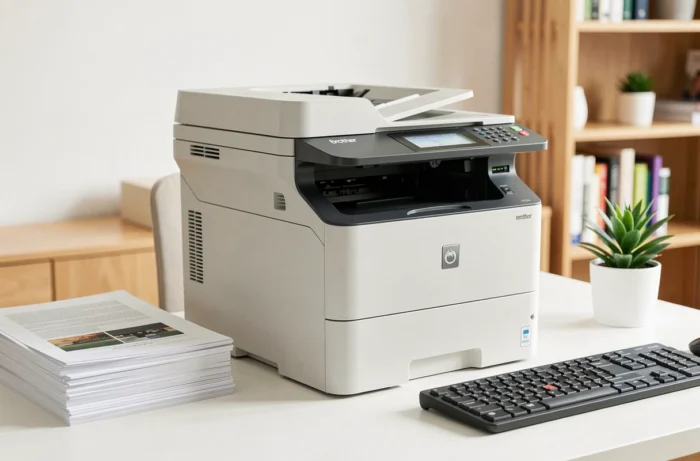
When replacing a desktop printer that has served well for four or five years, the question is never just technical. You are looking for a device that handles color printing, copying, scanning, and faxing without monopolizing a quarter of the workspace.
The Brother MFC-L3770CDW often appears in comparisons for this type of use. The question remains whether this color LED multifunction device lives up to its promises in daily use, and if it still deserves attention in 2026 against newer models.
Double-sided scanning and ADF: what the technical sheet doesn’t clearly state
On paper, the MFC-L3770CDW comes with a 50-sheet automatic document feeder (ADF). For a small office that scans contracts or delivery notes in batches, this is a real time saver compared to flatbed scanning sheet by sheet.
The point that deserves attention: automatic double-sided scanning is not supported. The device manages duplex printing, but not scanning. In practical terms, to scan a double-sided document, you must manually flip the stack of sheets and restart the scan. For a batch of twenty double-sided pages, this doubles the processing time.
For an organization that scans a lot (law firms, associations, administrative services), this limitation is significant. For occasional use, it goes unnoticed. You can find in the presentation of the Brother MFC-L3770CDW a useful summary of the scanning and copying functions, which allows you to verify its suitability with your own workflow.
Print speed and color quality of the MFC-L3770CDW
Brother claims a speed of 24 ppm in both monochrome and color. In real conditions, this speed is confirmed on standard text documents. The gap widens as soon as heavy visuals or very colorful presentations are printed, but this is the case for all LED printers in this range.
The resolution reaches 2,400 dpi, providing sharp text and uniform color areas. Druckerchannel tests position the L3770CDW as a machine oriented towards balance: not the fastest in its category, but among the most precise in text rendering.
What it delivers in everyday office use
On mixed documents (text and graphics), the quality remains professional. Quotes, invoices, and letters come out with sufficient contrast to be read effortlessly. However, for photo printing or high-end print marketing, the limits of LED technology are quickly reached.
- Black text on white background: very sharp rendering, comparable to monochrome lasers of the same budget
- Color graphics and tables: acceptable areas, slightly grainy gradients on light shades
- Photos: acceptable for internal use, insufficient for high-end client materials
Connectivity, touchscreen, and daily usability
The machine offers Wi-Fi, Ethernet, USB 2.0, and NFC. NFC allows direct printing from a smartphone or tablet by bringing the device close, simplifying occasional printing without going through a computer.
The 93.4 mm color TFT touchscreen makes navigating the menus easier. You can configure scanning to email, network scanning, or print shortcuts without going through a PC. For a small team, this is a welcome convenience.
Field feedback on connectivity varies depending on network configurations. Some users report occasional Wi-Fi disconnections, while others have no issues on stable networks. Switching to wired Ethernet usually resolves these problems.
Processor and memory
The ARM Cortex A9 processor and 512 MB of memory allow for managing multiple tasks simultaneously without noticeable slowdown. You can start a scan while a print job is in progress, which avoids queues on a shared workstation.
Brother MFC-L3770CDW in 2026: should you still buy it or switch to a newer model
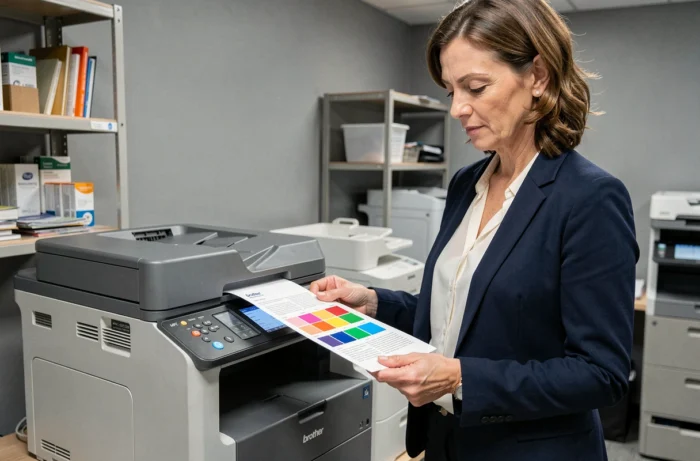
The MFC-L3770CDW is no longer the latest model in the Brother range. References like the MFC-L3760CDW or the MFC-L3780CDW have taken over with improvements in scanning speed and network management.
The price-to-quality ratio remains competitive if you find it at a reduced price. In the second-hand market or during clearance sales, it represents a solid option for a small office that does not need automatic double-sided scanning.
However, for a new purchase at full price, it is advisable to compare with the direct successors. Here are the criteria to consider:
- Monthly scanning volume: if automatic double-sided scanning is lacking, newer models address this point
- Toner budget: Brother TN-247 and TN-243 consumables remain available and at a controlled cost, protecting the investment
- Expected lifespan: a well-maintained L3770CDW lasts several years, but software support will eventually dwindle
- Advanced connectivity: 2024-2025 models often integrate smoother cloud protocols
Reliability and Brother support
Aggregated feedback on Brother is mixed. Print quality is rarely questioned. However, customer service is frequently criticized for its accessibility issues. Some users also report premature failures, without this constituting a systemic problem with this specific model.
The Brother MFC-L3770CDW remains a reliable color LED multifunction device for standard office use. Its main drawback in 2026 is not performance, but the lack of automatic double-sided scanning, which its successors have corrected. For a new purchase, it is better to check the price of the MFC-L3760CDW or the MFC-L3780CDW before making a decision.