The error code S1 on a Bouygues Telecom decoder indicates a total absence of optical signal between your box and the fiber network. Unlike errors related to Wi-Fi or software configuration, S1 points to a physical connection issue. Accurately identifying the source of this interruption helps avoid unnecessary actions and speeds up the restoration of service.
S1 Error Bouygues and Optical Signal: What the Bbox Actually Detects
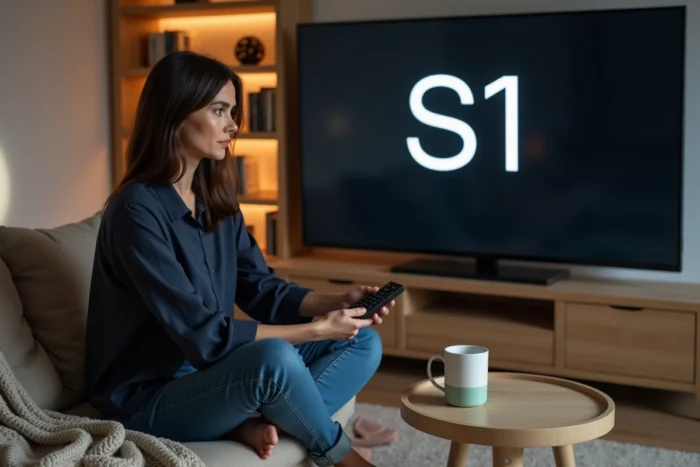
When the screen of your decoder or Bbox displays the S1 code, the equipment indicates that it is no longer receiving any light flow on the optical port. Fiber optic transmits data in the form of light, and S1 indicates that this light is no longer reaching the box.
This interruption can occur at several points in the chain: inside the home, at the building’s connection point, or further upstream in the network infrastructure. The actual location of the problem is increasingly often outside the home.
According to technician reports on the Lafibre.info forum, a growing share of S1 errors comes from upstream disconnections, at the level of the NRO (optical connection nodes) or the points of mutualization (PM). Subcontractors working on highly dense areas sometimes perform port reallocations that cut off the line of an existing subscriber.
This phenomenon, referred to as “wild disconnection,” has become common on high-density FTTH networks. To delve deeper into the technical causes, a useful resource details the S1 error code at Bouygues on Synopsis Mag with additional explanations.
Diagnosing the S1 Error: Local Outage or Network Incident
Before taking any action, the first step is to determine whether the problem originates from your installation or the Bouygues network. This distinction radically changes the course of action.
Check the Status of the Bouygues Network
Consult a site like Downdetector from your smartphone (on mobile data) to spot any potential grouped reports in your area. If several Bouygues subscribers in your municipality report the same S1 code at the same time, the incident is likely collective.
In this case, Bouygues classifies the incident as collective network outage with an infrastructure ticket. Resolution times are then different from an individual incident, and often longer. Customer service recommends not to restart the box repeatedly, as this has no effect on an upstream outage.
Inspect the Line at Home
If no general outage is reported, the problem may lie between the wall optical terminal (PTO) and your Bbox. Here are the points to check:
- The fiber optic cable between the PTO and the box: check that it is not sharply bent, crushed under furniture, or disconnected. A pronounced bend is enough to cut the light signal.
- The connectors at both ends: gently remove them and blow on the ends to eliminate dust. A grain of dust on an optical connector can block transmission.
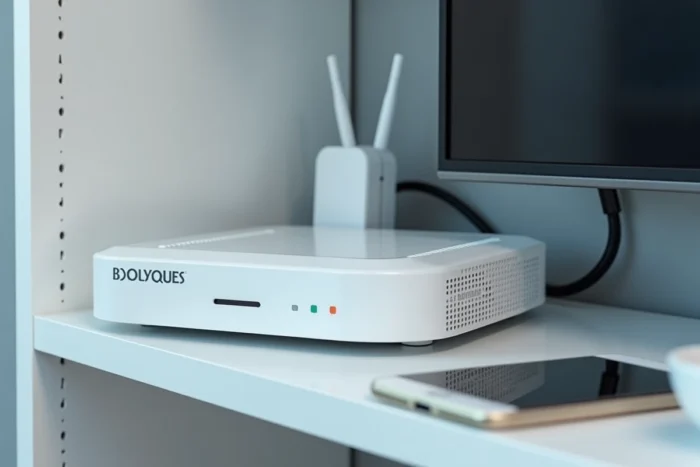
- The fiber indicator on the Bbox: if it is off or red, the box confirms that it is receiving nothing. If it is green but S1 still appears, the problem is likely on the TV decoder side or on the link between the box and the decoder.
Resolving the S1 Code Based on the Source of the Problem
The table below summarizes the three most common scenarios, their probable origin, and the appropriate action to take.
| Scenario | Probable Origin | Action to Take | Average Resolution Time |
|---|---|---|---|
| Collective outage reported on Downdetector | Network incident (NRO/PM) | Wait for resolution by Bouygues, do not restart repeatedly | Variable, sometimes several days |
| Damaged or disconnected fiber cable at home | Indoor installation | Reconnect or replace the cable, check the connectors | Immediate if the cable is the only issue |
| Wild disconnection at the PM | Subcontractor intervention upstream | Contact Bouygues support to send a technician | Intervention within a few working days |
The third scenario (wild disconnection) is the most frustrating because no action on the subscriber’s side can restore the signal. Only a physical intervention at the point of mutualization or the NRO resolves the issue.
Contacting Bouygues Telecom Support for a Persistent S1 Error
If restarting the Bbox (unplugging the power, waiting two minutes, plugging it back in) and checking the optical cable have not changed anything, contacting customer service becomes the only option.
When calling, specify right away that the displayed code is S1 and that you have already checked the connections. This information directs the advisor towards a network diagnosis rather than the usual troubleshooting scripts (restart, reset).
- Ask if a collective incident is ongoing in your area, even if Downdetector shows nothing: some localized outages do not generate enough reports to appear on aggregators.
- If the advisor confirms that the line is cut upstream, ask for the reference of the intervention ticket and an estimated timeframe.
- In case of prolonged outage (beyond a few days), you can request a commercial gesture or a credit on your bill. Bouygues is required to restore service within a reasonable timeframe according to the general subscription conditions.
Preventing Recurrences of S1 Error on Your Fiber Bbox
On highly utilized FTTH networks, wild disconnections can recur. A few precautions can reduce the risk of being affected or speed up diagnosis in case of recurrence.
Take a photo of your connection to the PTO with the reference visible. If a technician intervenes on the PM of your building and accidentally disconnects your fiber, this photo facilitates the re-identification of your port. Also keep the reference of your socket (written on the wall box).
On the indoor installation side, avoid running the fiber cable under a carpet or behind a door. Optical fibers do not handle repeated mechanical stress well, and gradual crushing eventually weakens the signal enough to trigger S1.
The S1 error remains a code related to the physical transport of light. As long as the cable is intact and no one has touched the upstream connection, it should not appear. When it does show up despite a well-maintained installation, it is almost always the network that is at fault, and resolution goes through Bouygues.